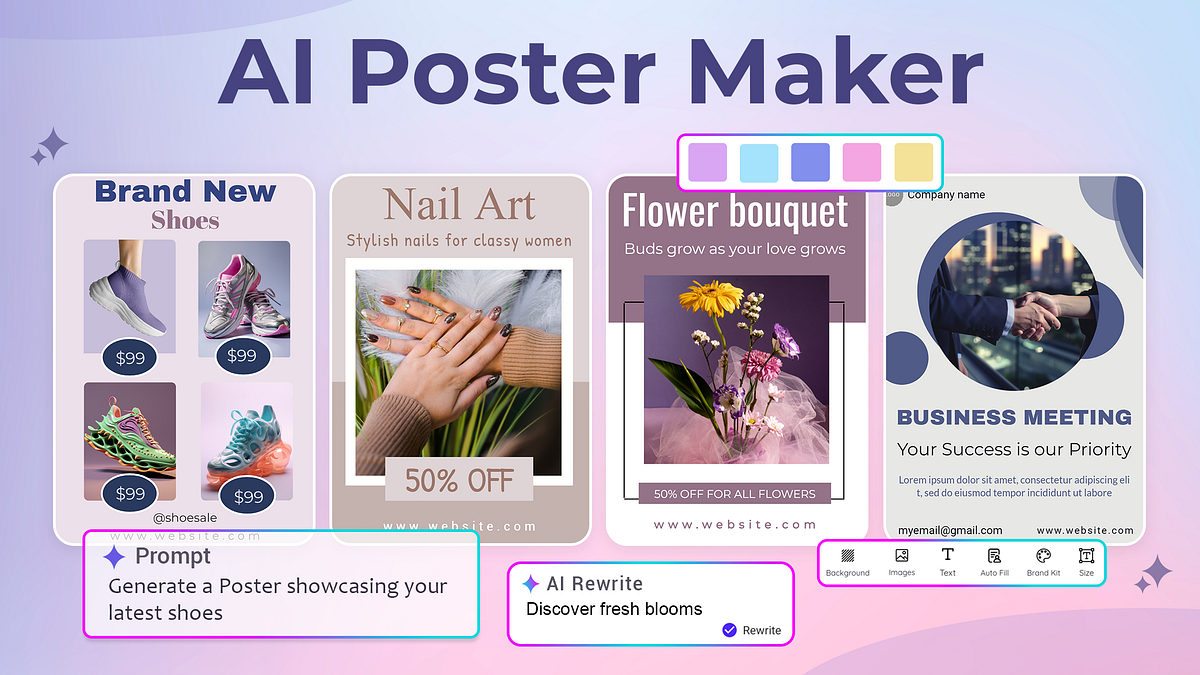
Canva has made design simple and accessible to millions all over the world. However, not everyone prefers using it due to its steep pricing or lack of publishing features. If you’re looking for similar or better alternatives, you’re in the right place. This innovation in AI has been monumental, there are many platforms offering AI-assisted design support to simplify your workflow.
In this guide, we’ll discuss 5 tools that act as substitutes for Canva. We’ll discuss their key features, marketing capabilities, pros and cons, pricing, and more.
Table of Contents
1. Visme
Visme turns mundane and boring numbers into fact-filled interactive presentations and documents. If you’re working within a corporate environment and have to regularly churn out infographics which utilize data visualization, this platform could be a good fit for you. If your posters contain statistics or charts, Visme can also create interactive or animated widgets in no time.
AI Features
- AI Designer: Generates complete and multi-page presentation, pitch decks, and documents.
- AI Text Suite: Rewrites any text copies and translates text into 100 languages.
- AI Brand Wizard: Store, reuse, and apply branding elements such as fonts, logos, colour palettes, and alignment.
- Data Integration: Connect widgets in the design to live spreadsheets such as Excel or Google Sheets.
- Presenter Studio: Record your face and voice side-by-side over presentation slides.
Pricing
- Free tier
- Starter: $12.25/month
- Pro: $24.75/month
- Enterprise: Custom pricing
Use Cases
- Sales proposals
- Educational infographics
- Client monthly reports
- Product catalogues and price lists
- Employee onboarding presentations
Pros and Cons
| Pros | Cons |
| ✅ Useful for presentations and charts | ❌ Interface isn’t user-friendly |
| ✅ Offers professional, corporate, and business templates | ❌ Less focused on posters and social media marketing |
| ✅ Has collaboration features |
2. Desygner
Desygner is a simple and trendy design solution catering to small businesses’ needs such as social media posts, presentations, and other promotional materials. It offers a vast library of professionally-designed templates and user experience is frictionless. With no learning curve, creating posters is as simple as ABC.
AI Features
- AI Copy: AI suggests layouts, text copies, and next design steps.
- One-Tap Cleanup: Erases cluttered backgrounds and realigns layers.
- AI Smart Resizing: Adapts a design into other formats.
- PDF Editor: Imports, edits, and adjusts layers in a PDF document.
- Asset Library: Has an exclusive integration with Shutterstock and gives access to thousands of premium stock photos, graphics, and videos.
Pricing
- Free tier
- Business: $14/month per user
- Enterprise: Custom pricing according to team size.
Use Cases
- Editing marketing materials
- Franchise and retail marketing
- Service-based businesses
- Small business consultants
Pros and Cons
| Pros | Cons |
| ✅ Mobile-friendly editing | ❌ Not a large amount of AI features |
| ✅ Drag-and-drop editing | ❌ Limited marketing and publishing features |
| ✅ Pricing is affordable | |
| ✅ Offers efficient editing on the go |
3. Snappa
Snappa is a quick design platform for non-designers to create simple visuals from scratch or by using pre-made templates. No need to learn technical design jargon or software, this AI poster maker tool simplifies everything from designing to resizing for other platforms. If your daily tasks require lightweight editing, this could be a good fit for you.
AI Features
- AI One-Click Background Remover: Instantly removes all clutter from the backgrounds of images.
- AI Smart Content Recommender: Analyzes templates and suggests alternative colour combos, placements, and fonts.
- AI Auto-Resizer: Transforms any design into a new platform size with accurate dimensions.
- Asset Library: Access to millions of HD stock photos and vector shapes.
- Text Editor: Typography tools are all located on a convenient sidebar and include features for line height, spacing, and text shadows.
Pricing
- Free
- Pro: $15/month (billed monthly)
Use Cases
- High-volume digital advertising
- Bloggers
- Content creators
- Social media managers
- “Solopreneurs”
Pros and Cons
| Pros | Cons |
| ✅ Beginner-friendly, simple interface | ❌ Advanced features are limited |
| ✅ Fast graphic creation | ❌ Smaller template and stock library |
| ✅ Offers social media specific editing features | ❌ AI automation is limited |
4. Fotor
Fotor offers its users lightweight photo editing, graphic design, and AI image generation. It’s a simple alternative to bulkier options like Canva, useful for both professionals and beginners alike. To make photo editing more convenient, this tool is web-based and also offers a mobile app. It prioritizes portrait and image editing over poster layouts but can be used for both cases.
AI Features
- AI Image Extender: Generates and extends backgrounds beyond original frames.
- AI Image Upscaler: Turn blurry or pixelated images into HD graphics without sacrificing any sharpness.
- Text-to-Image Generation: Turns text prompts into unique artworks.For creators looking for more advanced AI-generated visuals, Seedream AI for CapCut can transform text prompts into high-quality images and poster-ready artwork, making it a useful option for producing unique marketing creatives with minimal design experience.
- Light Controls: Change an image’s exposure, saturation, shadows, and highlights.
Pricing
- Free
- Pro: $7.49/month
Use Cases
- Photographers
- Product photography
- Visual marketing
- E-commerce product catalogs
Pros and Cons
| Pros | Cons |
| ✅ Excellent image enhancement | ❌ Does not assist users in creating full marketing campaigns |
| ✅ Easy background removal | ❌ Fewer collaboration and publishing features |
| ✅ Useful for image-heavy posters |
5. PosterMyWall
PosterMyWall is an all-in-one design tool that offers publishing, scheduling, and marketing features so you can do all types of marketing-related tasks from one place. With this tool, you can edit and design posters fast using its intuitive drag-and-drop editor and thousands of professionally designed templates too. Its Create with AI feature allows users to harness AI and create ready-to-publish posters in no time.
AI Features
- AI Subtitles: Closed-caption text layers and natural voiceovers for videos.
- AI Smart Resizing: Convert a design into any format instantly.
- Email Marketing: Manage subscriber lists, structure newsletters, and send out automated emails.
- Content Planner: Design, schedule, and publish social media posts from within the editor.
- Print-On-Demand: Embed a print checkout and order physical flyers and cardstocks shipped to your doorstep.
Pricing
- Free tier
- Premium: $9.95/month
- Premium Plus: $29.95/month
Use Cases
- Event promoters
- Social media managers
- Churches, organizations, and NGOs
- Educators and students
- Beginner graphic designers
Pros and Cons
| Pros | Cons |
| ✅ Affordable | ❌ Limited advanced design features |
| ✅ Beginner-friendly interface | ❌ Certain features are paywalled |
| ✅ Thousands of professionally designed templates | |
| ✅ Built-in social media marketing, email marketing, content planner, and content publishing |
How to Choose the Right AI Poster Maker?
The internet’s full of online design platforms that integrate AI, simplify your workflow, and make designing easy. However, not all platforms are built on similar priorities. Here a few considerations to keep in mind:
- Design Goals: Decide which graphic format you’ll be designing most frequently for. If it’s flyers, posters, or social media posts, you should opt for Canva or Snappa. However, if you’re working with data-heavy presentations and documents, Visme’s a good bet.
- Budget: Nearly all platforms offer a free trial or a freemium model to keep customers hooked. Be on the lookout for hidden charges such as pay-per-download options and watermarks. We recommend investing in a paid plan for features you’ll actually use.
- AI Features: Pick a platform that offers a basic AI suite so you can design fast and without hassle. Look for an AI background remover, image upscaler, resizer, and text-to-image generator.
Keeping these touchpoints in mind enables you to make an informed decision. Your platform should serve your design goals and turn your marketing workflow into something more aligned and automated.